How to Trade on Aster: Complete Beginner's Guide (2026)
Fees and rules are checked against Aster's documentation at docs.asterdex.com, and live market figures come from Aster's public API. How we verify
Table of Contents
Aster is one of the larger decentralized perpetuals exchanges by reported volume, and trading on it is more approachable than most newcomers expect. This guide walks you through everything from connecting a wallet to placing your first leveraged trade, with the exact steps a beginner needs in 2026.

To start trading on Aster you need a supported wallet (MetaMask, Binance Wallet, or Phantom), some collateral (USDT works best), and funds on one of the supported chains (BNB, Ethereum, Solana, or Arbitrum). You connect, deposit, and trade. The app signs you in with a wallet signature rather than an email registration or an account application.
What Is Aster?
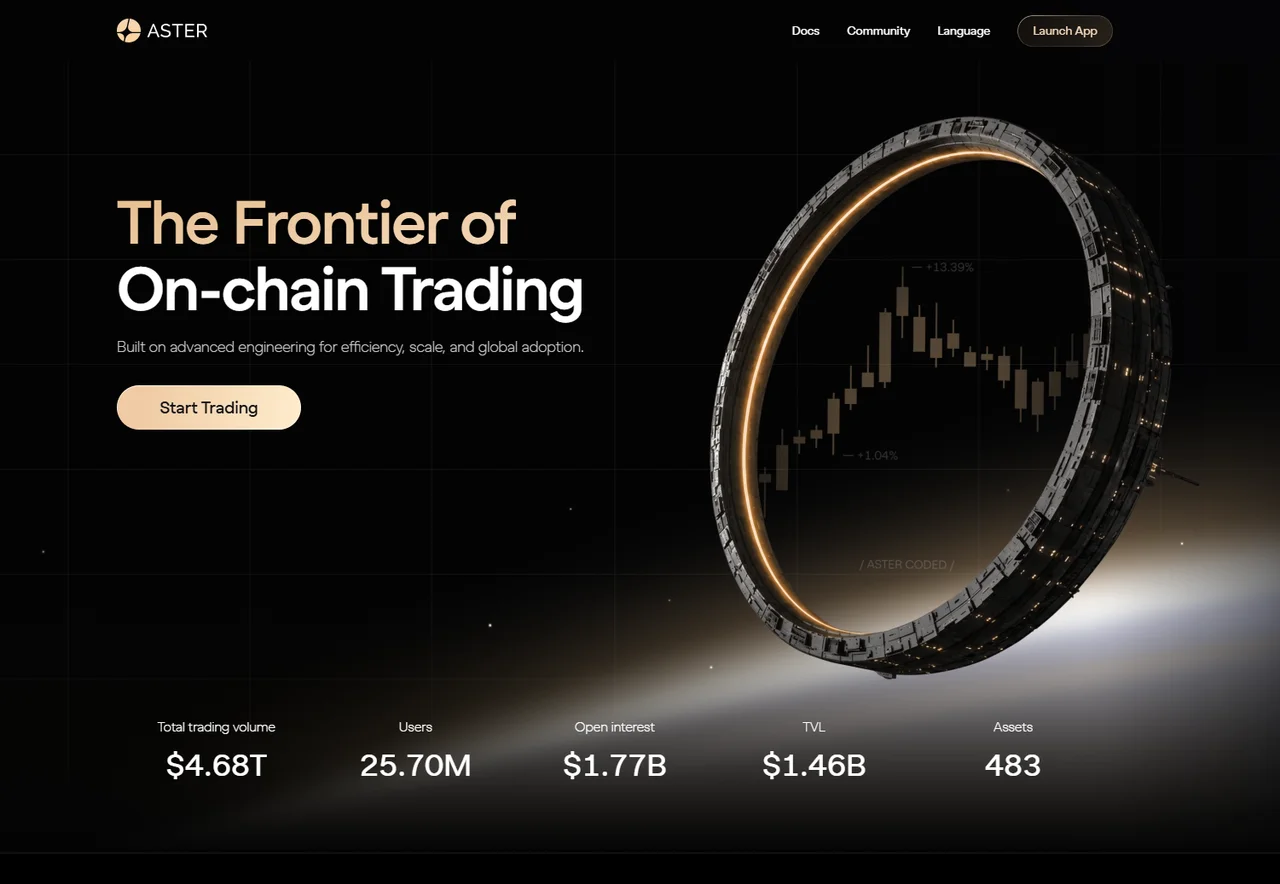
Aster is a privacy-focused, multi-chain decentralized perpetuals exchange. Instead of just crypto, it lists order-book perps on crypto, stocks, and commodities, and it adds spot markets plus yield products on top. You can even use tokenized stocks as collateral like Tesla and Nvidia to back perp positions. It was formed from the 2024 merger of Astherus (a yield protocol) and APX Finance (a perps venue). Aster's own launch announcement describes the project as backed by YZi Labs (formerly Binance Labs), advised by Binance founder CZ, and built by a team with Binance backgrounds. YZi Labs is named there as a backer rather than an operator of the exchange.
What Aster leads with for traders is privacy. Most on-chain exchanges broadcast every order publicly, which lets bots hunt large positions. Aster's documentation describes orders being encrypted before they reach the chain and decrypted only at execution, so the order details are not published while the order rests. We have not audited that implementation. If you want the deeper mechanics, see our guide to Aster hidden orders.
In September 2025, public volume trackers showed Aster's daily perpetual volume briefly exceeding Hyperliquid's, a comparison point we break down in Aster vs Hyperliquid.
Info
Perpetuals (or "perps") are derivatives that let you go long or short on an asset with leverage and no expiry date. They are powerful but risky: leverage amplifies both gains and losses. Beginners should start with small sizes and low leverage.
Before You Start: Wallets and Chains
Aster is self-custody, which means you trade directly from your own wallet rather than from an exchange account holding your coins. You will need a compatible wallet and funds on a supported chain.
Supported wallets
 MetaMask: the most popular EVM wallet, works across BNB Chain, Ethereum, and Arbitrum.
 Binance Wallet: convenient if you already use the Binance ecosystem.
 Phantom: the go-to wallet for Solana, useful if you want to deposit SOL.
Other standard wallets are supported too, but these three cover the vast majority of beginners.
Supported chains
Aster is multi-chain native across:
 BNB Chain: low fees, the home of the 1001x and ALP pools.
 Ethereum: broad asset support, higher gas costs.
 Solana: fast and cheap, ideal for SOL holders.
 Arbitrum: a low-cost Ethereum Layer 2.
There is no manual bridging step in the deposit flow. You deposit on the chain where your funds already live, so you are not moving them to a separate settlement chain yourself first. Each deposit is still an on-chain transaction on the network you pick, with that network's own confirmation times and costs.
Step 1: Connect Your Wallet
Head to the Aster app at asterdex.com and launch the trading interface. The connection flow is quick:
Launch the app
Open the Aster web app and click Connect Wallet in the top corner.
Pick your chain
Select BNB Chain, Ethereum, Solana, or Arbitrum depending on where your funds are.
Choose your wallet
Pick MetaMask, Binance Wallet, Phantom, or another supported wallet.
Sign to authenticate
Approve the signature request in your wallet. This is a free, gasless signature rather than a transaction.
That signature simply proves you control the wallet. It does not move any funds and costs nothing. Once it is approved, the app recognizes your address and you are ready to deposit.
Warning
Always confirm you are on the correct URL before connecting. Bookmark the official Aster app and double-check the domain. Never enter a seed phrase into any website. A wallet connection should only ask you to approve a signature, so treat any request for your recovery phrase as an attack and close the page.
Step 2: Deposit Collateral
Your collateral is the margin that backs your trades. On Aster:
- USDT is the primary collateral and the simplest choice for beginners.
- USDC, ETH, and SOL are also supported, as are yield-bearing assets like asBNB and USDF.
- Pro mode supports multi-asset margin, so advanced users can post several assets at once.
To deposit:
- Click Deposit in the app.
- Select the asset you want to fund with (USDT is recommended for your first trade).
- Enter the amount and confirm the transaction in your wallet.
- Wait for the on-chain confirmation, which typically takes seconds to a minute depending on the chain and how busy it is.
Once the deposit settles, your balance appears as available margin and you can open a position. If it does not credit within a couple of minutes, our guide on what to do if your Aster deposit isn't showing walks through the usual causes (wrong chain, pending confirmations, or a page that needs a refresh).
Tip
Start with an amount you are completely comfortable losing. Even a $50 to $100 first deposit is enough to learn the interface and understand how leverage feels before scaling up.
Start Trading on Aster
Sign up with code MMTz04 to receive 5% of your trading fees back as a rebate, per Aster's referral program terms.
Trade on AsterStep 3: Place Your First Perp Trade
With margin deposited, you are ready to open a position. Here is the typical flow for a perpetual trade.
Choose Simple or Pro mode
Aster gives you two trading experiences, and picking the right one matters for beginners.
Simple mode
Simple mode offers one-click trading on high-liquidity pairs, with no separate initial margin step and MEV protection as described in Aster's documentation. It is also where Aster's headline 1001x leverage lives on select pairs like BTC and ETH. If you are brand new, Simple mode has the fewest settings to get wrong, though extreme leverage remains a tool for experienced traders.
Pro mode
Pro mode is the full trading terminal: a complete order book, hidden encrypted orders, multi-collateral margin, and portfolio-level risk tools. It gives you more control over order types and position management, which is what most active traders end up using.
Info
You can switch between Simple and Pro mode freely. Many traders learn the basics in Simple mode and move to Pro once they want limit orders, hidden orders, and finer risk control.
Placing the order
- Select a market. Pick a pair such as BTC or ETH. Aster also offers 24/7 stock and commodity perps if you want to branch out later — our register of every market currently listed on Aster shows what is tradeable right now and the leverage cap on each one.
- Choose direction. Click Long if you expect the price to rise, or Short if you expect it to fall.
- Set your leverage. Lower leverage (2x to 5x) is far safer for beginners. Higher multiples magnify losses and bring liquidation closer.
- Pick an order type. A market order fills immediately at the current price; a limit order lets you set the price you want and only fills there.
- Enter your size. Decide how much margin to commit. The app shows your liquidation price and estimated fees before you confirm.
- Submit. Confirm the order. Your open position now appears in the positions panel with live PnL.
Manage the position
Trading is not just entering. Exiting well matters as much. Set a stop-loss to cap downside and a take-profit to lock in gains. Watch your liquidation price: if the market moves against you past that point, the position is closed automatically and you lose the margin backing it. Reducing leverage or adding margin pushes liquidation further away. What happens at that point, step by step, is in how liquidation works on Aster.
The path is the same every time: connect your wallet, deposit collateral (USDT is easiest), and place a trade. The skill comes in managing risk, so use low leverage, set a stop-loss, and never risk more than you can afford to lose.
Hidden Orders and 1001x Mode
Two features set Aster apart once you move beyond the basics.
Hidden (encrypted) orders. Aster's documentation describes orders as encrypted before they reach the chain and decrypted only at execution, so the resting order is not published in the public order book. The stated purpose is to make position-hunting and MEV strategies harder to run against you. Hidden orders are limit-only and held inside the matching engine, which larger traders tend to care about most. Read more in our hidden orders explainer.
1001x mode. On select pairs like BTC and ETH, Aster offers on-chain perpetuals with leverage up to 1001x and no separate initial margin, which its documentation describes as MEV-resistant. It runs on the ALP pool on BNB Chain and Arbitrum. This is an advanced, high-risk feature, because at that leverage a tiny price move can wipe out your position. We cover exactly how it works, and when (or whether) to use it, in Aster 1001x leverage explained. For a broader view of order types and markets, browse the full trading guides hub.
Warning
1001x leverage is not a beginner tool. At that level, even normal market noise can trigger liquidation. Treat it as a feature to understand first and approach slowly, since most traders never need anywhere near it.
Fees and the MMTz04 Rebate
Fees directly affect your profitability, so it pays to understand them before you trade. The figures below come from Aster's fee documentation and change from time to time, so confirm the current numbers in the app.
- USDT-margined perps: maker 0%, taker around 0.04% of notional.
- Spot trading: maker around 0.005%, taker around 0.04%.
- Pay fees in ASTER: toggle this on for a 5% fee discount on the fee charged.
- Referral code MMTz04: per Aster's documented referral program terms, the referrer earns a 10% commission on the fees a referred trader pays and sets how much of it goes back. This account runs a 5/5 split, so you receive 5% of your trading fees back as a rebate, credited daily by Aster in the asset the fee was paid in.
The two work differently, and it is worth keeping them apart. The pay-in-ASTER discount reduces the fee at the point of trade. The referral share arrives afterwards as a rebate, so the quoted fee you see on the order ticket is unchanged. Program terms are set by Aster and can change without notice. For the full breakdown of every fee tier and how the two combine, see Aster fees explained or the fees hub. To understand the token behind the pay-in-ASTER discount, read what is the ASTER token in the ecosystem hub.
Tip
Maker orders (limit orders that add liquidity) often carry 0% fees on USDT perps, while taker orders (market orders that remove liquidity) pay the taker rate. Using limit orders when you are not in a rush can meaningfully cut your trading costs over time.
Buying the ASTER token is a different action from opening a perp on it, and it has its own page: how to buy ASTER, step by step covers the on-platform spot route, the centralized-exchange route, the contract address, and the network mistakes that lose people money.
Quick Recap
You now have the full picture of how to trade on Aster:
- Connect a supported wallet (MetaMask, Binance Wallet, or Phantom) on BNB, Ethereum, Solana, or Arbitrum.
- Deposit collateral, with USDT as the easiest starting asset.
- Trade in Simple mode to learn, then move to Pro for the full order book and hidden orders.
- Manage risk with low leverage and stop-losses, and cut your net fee cost with code MMTz04 plus paying in ASTER.
Aster's privacy features, multi-chain deposits, and Simple mode make it a reasonable place to learn perpetual trading, as long as you respect the risk that leverage carries.
Info
Aster markets self-custodial trading with a wallet connection instead of an account signup, but you remain responsible for your own local eligibility and tax obligations. Whether perpetual trading is available or appropriate where you live, and how any gain is treated, are questions only you can answer for your jurisdiction. This is not financial, legal, or tax advice.
Trade on Aster with a 5% Fee Rebate
Connect your wallet, deposit, and place your first trade. Code MMTz04 returns 5% of your trading fees as a rebate under Aster's referral program.
Get Started on AsterFrequently Asked Questions
You need a self-custody crypto wallet such as MetaMask, Binance Wallet, or Phantom, and some collateral to deposit. USDT is the primary collateral asset, though USDC, ETH, and SOL are also supported. You connect on one of the supported chains (BNB Chain, Ethereum, Solana, or Arbitrum), deposit funds, and you can start trading perpetuals. The app asks you to connect a wallet rather than register an email address or open an account, and it does not currently ask retail users for identity documents at that step. Whether trading perpetuals is available or appropriate where you live is a question only you can answer for your jurisdiction.
Aster offers a Simple mode with one-click trading on high-liquidity pairs and no separate initial margin step, which means fewer settings to understand before a first trade. Beginners can start small, use low leverage, and move to Pro mode once they understand order types and margin. As with any leveraged trading, you can lose your collateral quickly, so start cautiously.
Simple mode is a one-click interface for fast trades on high-liquidity pairs, with no separate initial margin step and MEV protection as described in Aster's documentation. Pro mode gives you the full order book, hidden encrypted orders, multi-collateral margin, and portfolio risk tools. Beginners usually start in Simple mode and switch to Pro as they gain experience.
Aster's documentation lists a 0% maker fee and a taker fee of around 0.04% of notional on USDT-margined perpetuals. Fees change, so confirm the current figures in the app. Paying fees in the ASTER token adds a 5% fee discount. Referral code MMTz04 does not change the fee charged at the point of trade: per Aster's documented referral program terms, this account passes back 5% of the trading fees you pay as a rebate, credited daily by Aster in the asset the fee was paid in.
Not manually. Aster accepts deposits on BNB Chain, Ethereum, Solana, and Arbitrum, so you pick the chain your funds already sit on, connect your wallet there, and deposit on that chain. That replaces the step of bridging to a single settlement chain yourself. The deposit is still an on-chain transaction, so confirm the chain in the app and in your wallet before you sign.
Sources & Citation
How these figures were verified
- Aster official documentation: Deposit and Withdrawal Guide — the supported deposit chains and assets, how a deposited balance appears in the Portfolio, and typical timing. Checked .
- Aster official documentation: Perpetuals Fees — the 0% maker and roughly 0.04% taker fee on USDT-margined perpetuals and the 5% pay-in-ASTER fee discount. Checked .
- Aster official documentation: Spot Fee Structure — the 0.005% spot maker and 0.04% spot taker fees. Checked .
- Aster official documentation: Referral Program — the 10% referrer commission, the referrer-set rebate split passed back to referred users, and daily crediting in the asset the fee was paid in. Checked .
Aster revises its fee schedules, leverage caps and token mechanics regularly, so every figure here is a dated snapshot rather than a live feed. Where a number comes from Asterpedia’s own tracking rather than the documentation, it is labelled as such above.
Cite this page
Asterpedia. "How to Trade on Aster: Complete Beginner's Guide (2026)." Published June 23, 2026; last updated September 1, 2026. https://asterpedia.com/guides/getting-started/how-to-trade-on-aster<a href="https://asterpedia.com/guides/getting-started/how-to-trade-on-aster">How to Trade on Aster: Complete Beginner's Guide (2026)</a> — Asterpedia, updated September 1, 2026Reuse
You may republish these figures with attribution and a link to https://asterpedia.com/guides/getting-started/how-to-trade-on-aster.
Asterpedia is an independent, unofficial resource. It is not affiliated with, produced by, reviewed by, endorsed by or sponsored by Aster, asterdex.com, their operators, or their backers including YZi Labs. "Aster", "ASTER" and the Aster logo are trademarks of their respective owners, used here for identification only.
Disclaimer: Nothing here is financial, investment, legal or tax advice. Trading perpetual futures carries a substantial risk of loss. Whether any product described here is lawful or appropriate where you live, and how any trade is taxed, depends on your jurisdiction and your circumstances. Check the primary sources and speak to a qualified professional. This site contains referral links, and the full disclosure is in the site footer.
Ready to Start Trading?
Sign up to Aster with referral code MMTz04 and 5% of your trading fees come back to you as a rebate. Connect a wallet and you are trading in minutes.
Trade on Aster - 5% Fee Rebate